reCAPTCHA v3 in Selenium: solve it with Python
Stub grecaptcha in Selenium with CDP, capture the page's real siteKey and action, and hand it a token from ReCaptchaV3TaskProxyLess via the Python SDK.
 capbypass-bob
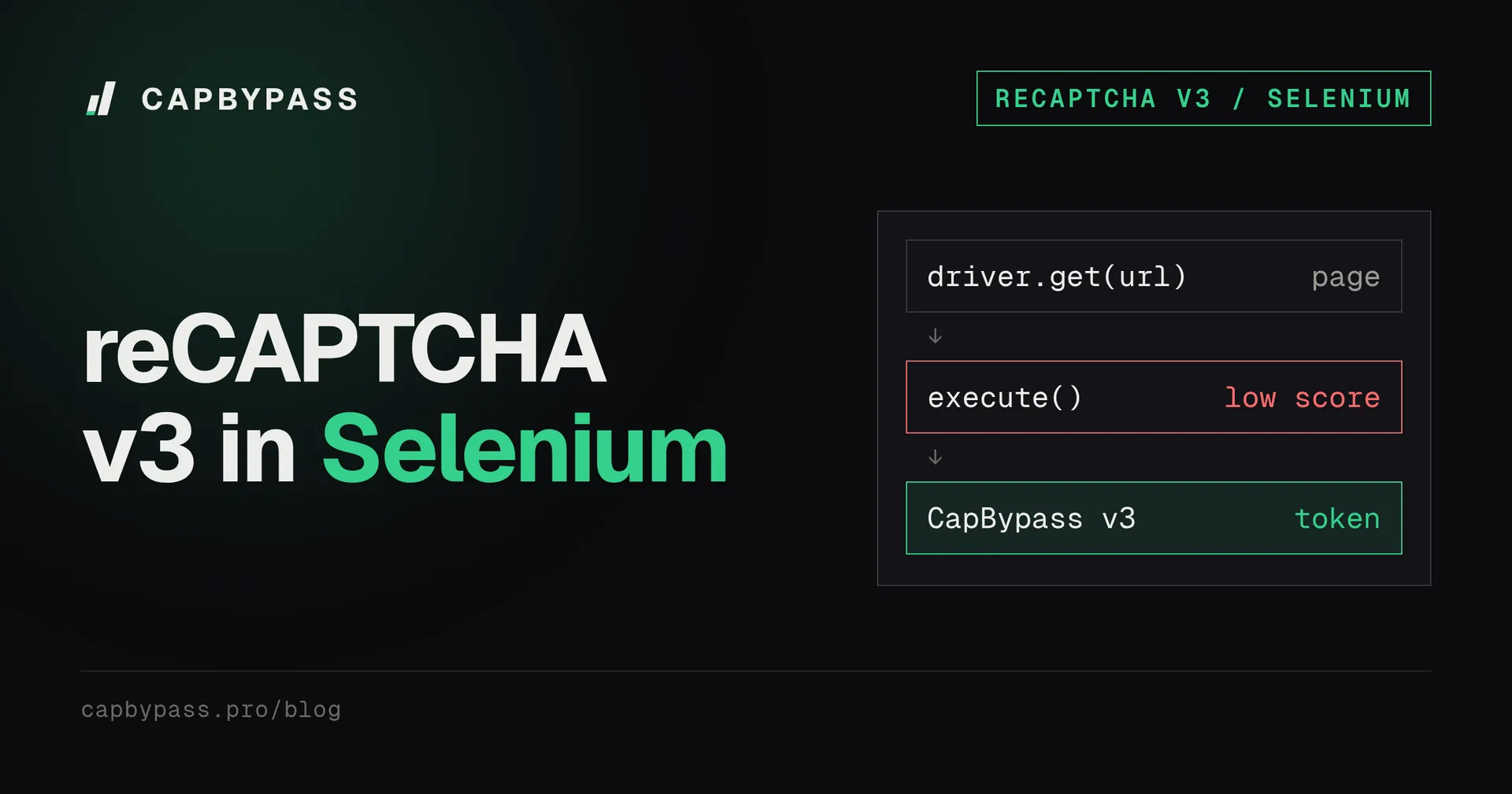
Your Selenium script types the email, clicks "Log in", and the backend answers "verification failed". No checkbox ever showed up, because reCAPTCHA v3 never shows one: it scores the browser in the background, and a Chrome driven by chromedriver tends to land in the low band. The fix below keeps the site's own JavaScript running, swaps grecaptcha for a stub, and lets Python hand it a token from CapBypass. Over the last 30 days, ReCaptchaV3TaskProxyLess took 3.2 seconds on average to return a token (140 tasks).
It's about 60 lines of Python on top of Selenium 4. Use it on sites you own or have permission to test.
what's blocking the request
A v3 page loads https://www.google.com/recaptcha/api.js?render=<siteKey>, calls grecaptcha.execute(siteKey, { action }) right before the sensitive request, and puts the token in the request body. The backend asks Google for a score and applies its own threshold. Nothing on the page tells you that you failed:
- the submit returns a 4xx or a generic "something went wrong"
- the same login works in your normal Chrome and fails only under Selenium
- the form posts a token (often in
g-recaptcha-response), and the server rejects it anyway
Why the score is low is its own topic, covered in why your reCAPTCHA v3 score is low. This post skips that fight and gives the page a token that already passes.
detecting recaptcha v3 with selenium
Confirm the page runs v3 and read its siteKey before wiring anything. The render parameter of the script URL holds it:
from urllib.parse import urlparse, parse_qs

from selenium import webdriver
from selenium.webdriver.common.by import By

driver = webdriver.Chrome()
driver.get("https://example.com/login")

for el in driver.find_elements(By.CSS_SELECTOR, 'script[src*="/recaptcha/"]'):
    url = urlparse(el.get_attribute("src"))
    print(url.path.rsplit("/", 1)[-1], parse_qs(url.query).get("render"))
# api.js ['6LdyC2cUAAAAACGuDKpXeDorzUDWXmdqeg-xy696']
driver.quit()
Three outcomes:
api.jswith a siteKey inrender: classic v3, the case below.api.jswithrender=explicitand anonloadcallback: the page callsgrecaptcha.render()itself. The stub below handles that too.enterprise.js: reCAPTCHA Enterprise. UseReCaptchaV3EnterpriseTaskProxyLessand stubgrecaptcha.enterprise(see "things that go wrong").
You don't need to guess the action string. The stub records it from the page's own execute call, which removes the most common reason a token gets rejected (pageAction mismatches).
solving with capbypass
The API side is one task. createTask takes the page URL, the siteKey and the action:
curl -s -X POST https://api.capbypass.pro/createTask \
  -H "Content-Type: application/json" \
  -d '{
    "clientKey": "'"$CAPBYPASS_API_KEY"'",
    "task": {
      "type": "ReCaptchaV3TaskProxyLess",
      "websiteURL": "https://example.com/login",
      "websiteKey": "6LdyC2cUAAAAACGuDKpXeDorzUDWXmdqeg-xy696",
      "pageAction": "login"
    }
  }'
# {"errorId":0,"taskId":"f47ac10b-58cc-4372-a567-0e02b2c3d479"}
getTaskResult returns the token in solution.gRecaptchaResponse once status is ready. In Python the CapBypass SDK (pip install capbypass-sdk) does create and poll in one solve() call:
import os

from capbypass import CapBypass

client = CapBypass(
    api_key=os.environ["CAPBYPASS_API_KEY"],
    base_url="https://api.capbypass.pro",
)

def solve_v3(website_url, website_key, page_action):
    solution = client.solve({
        "type": "ReCaptchaV3TaskProxyLess",
        "websiteURL": website_url,
        "websiteKey": website_key,
        "pageAction": page_action,
    }, timeout=120)
    return solution["gRecaptchaResponse"]
If you poll by hand (many tasks in flight, custom timeouts), the loop and its intervals are in polling captcha API tasks. Every field is listed in the API reference.
How long the page waits depends on the task type. These are the averages from our public status endpoint over the last 30 days:
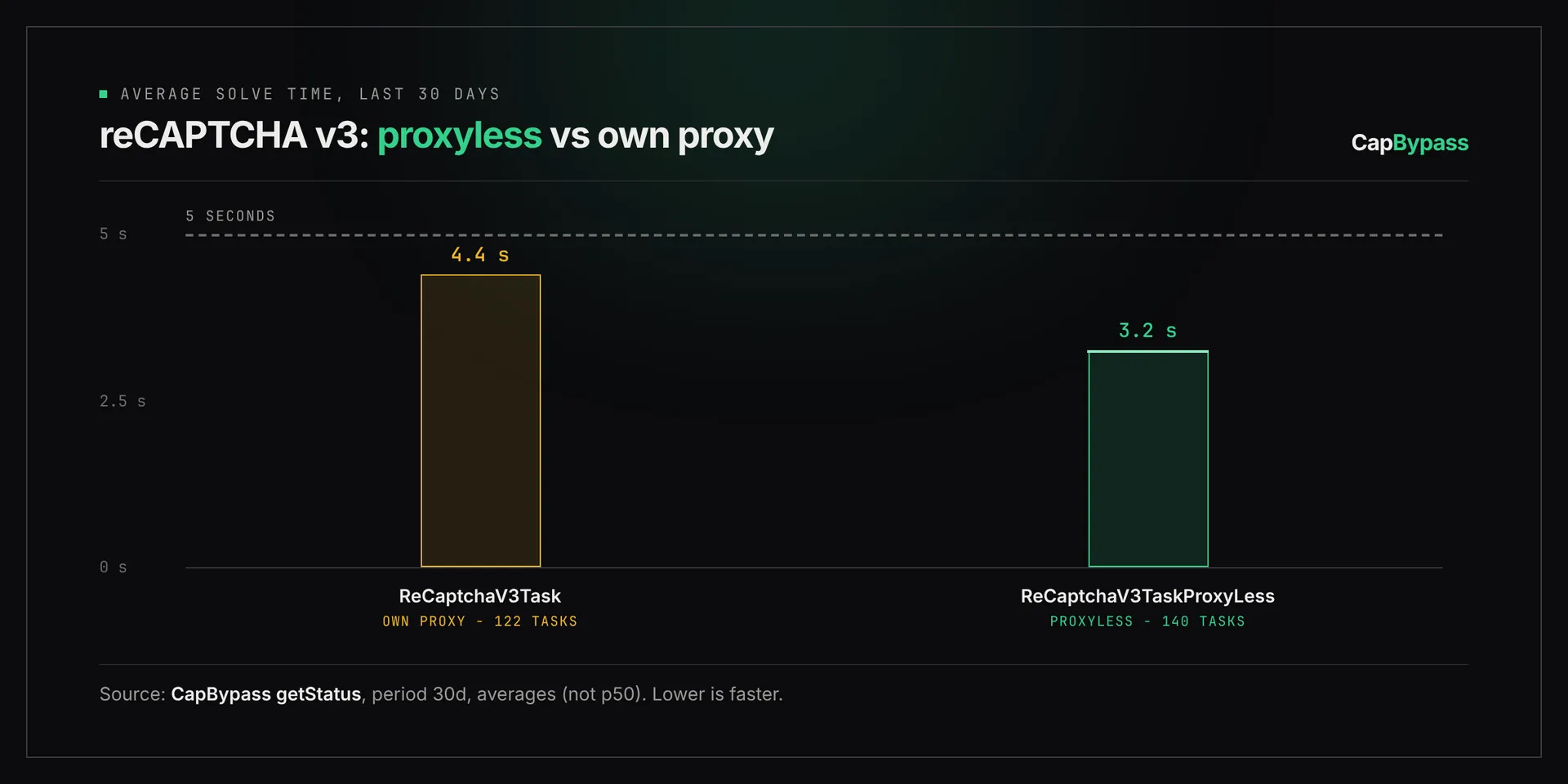
Proxyless was about 1.2 seconds faster on average (3.2 s vs 4.4 s). Pick ReCaptchaV3Task only when the site ties the token to the IP that submits the form, and pass your proxy in task.proxy.
Bonus: +5% credits on every top-up
New to CapBypass? Apply code
WELCOME_2026at checkout for an extra 5% in credits on every top-up, with no minimum and no expiry. Redeem it on the top-up page and put it toward your firstReCaptchaV3TaskProxyLesssolves.
handing the token to the page
This is where Selenium differs from Puppeteer. There is no exposeFunction and no request interception, so the page can't call Python directly. Chrome DevTools Protocol commands, which Selenium exposes as execute_cdp_cmd, fill the gap:
Network.setBlockedURLsstops Google'sapi.jsfrom loading.Page.addScriptToEvaluateOnNewDocumentinstalls agrecaptchastub before any page script runs.- The stub's
execute()returns a pending promise and pushes{siteKey, action, url}onto a queue. - Python drains the queue with
execute_script, solves each job, and resolves the promise with the token.
The site's own code then sends the token exactly as it would with Google's script.
import time

STUB = r"""
(() => {
  const queue = (window.__cbQueue = []);
  const waiters = {};
  let renderedKey = null;
  const scriptParams = () => {
    const s = document.querySelector('script[src*="/recaptcha/api.js"]');
    return s ? new URL(s.src).searchParams : new URLSearchParams();
  };
  window.__cbResolve = (id, token) => { waiters[id](token); delete waiters[id]; };
  const g = {
    ready: (cb) => { setTimeout(cb, 0); },
    render: (_el, opts) => { if (opts && opts.sitekey) renderedKey = opts.sitekey; return 0; },
    reset: () => {},
    getResponse: () => '',
    execute: (key, opts) => new Promise((resolve) => {
      const id = String(Date.now() + Math.random());
      waiters[id] = resolve;
      queue.push({
        id,
        siteKey: typeof key === 'string' ? key : (renderedKey || scriptParams().get('render')),
        action: (opts && opts.action) || '',
        url: location.href,
      });
    }),
  };
  Object.defineProperty(window, 'grecaptcha', { get: () => g, set: () => {}, configurable: true });
  document.addEventListener('DOMContentLoaded', () => {
    const onload = scriptParams().get('onload');
    if (onload && typeof window[onload] === 'function') window[onload]();
  });
})();
"""

def install_stub(driver):
    driver.execute_cdp_cmd("Network.enable", {})
    driver.execute_cdp_cmd("Network.setBlockedURLs", {
        "urls": ["*/recaptcha/api.js*", "*/recaptcha/releases/*"],
    })
    driver.execute_cdp_cmd("Page.addScriptToEvaluateOnNewDocument", {"source": STUB})

def serve_tokens(driver, solve, seconds=60):
    deadline = time.time() + seconds
    while time.time() < deadline:
        jobs = driver.execute_script("return window.__cbQueue ? window.__cbQueue.splice(0) : []")
        for job in jobs:
            token = solve(job["url"], job["siteKey"], job["action"])
            driver.execute_script("window.__cbResolve(arguments[0], arguments[1])", job["id"], token)
            return job
        time.sleep(0.25)
    raise TimeoutError("the page never called grecaptcha.execute")
Call install_stub once, before the first driver.get. The script persists across navigations in that tab. Then drive the form as usual and let serve_tokens answer the page:
import os

from selenium import webdriver
from selenium.webdriver.common.by import By

driver = webdriver.Chrome()
install_stub(driver)
driver.get("https://example.com/login")

driver.find_element(By.NAME, "email").send_keys("[email protected]")
driver.find_element(By.NAME, "password").send_keys(os.environ["SITE_PASSWORD"])
driver.find_element(By.CSS_SELECTOR, "button[type=submit]").click()

job = serve_tokens(driver, solve_v3)
print("solved", job["action"], "for", job["siteKey"])
We ran this pair against two local test pages with a fake solver in place of solve_v3: one that calls grecaptcha.execute(siteKey, {action: 'login'}) on submit, and one that uses render=explicit with an onload callback and execute(widgetId, ...). In both, the stub picked up the real siteKey and action, and the page's own code sent the token. Replace the fake with solve_v3 and the token comes from CapBypass.
things that go wrong
execute_cdp_cmdraisesAttributeError. It exists only on Chromium drivers (webdriver.Chrome,webdriver.Edge). Firefox has no CDP in Selenium, so this pattern needs Chrome or Edge.- The token is accepted once, then rejected. Google tokens are single-use and expire after about two minutes. Call
serve_tokensagain for everyexecute(), which is what the queue is for, and don't cache tokens between submits. - Enterprise sites.
enterprise.jsexposesgrecaptcha.enterprise.execute. Block*/recaptcha/enterprise.js*, addg.enterprise = gat the end of the stub, and switchsolve_v3toReCaptchaV3EnterpriseTaskProxyLess. - The script is injected late. Some single-page apps add the
api.jstag afterDOMContentLoaded, so theonloadhook never fires. Call the callback yourself withdriver.execute_script("window[arguments[0]]()", "onloadName")after the tag appears. - Token works in curl, fails in Selenium. The backend may check that the submitting IP matches the solve. Switch to
ReCaptchaV3Taskwith the same proxy Chrome uses.
If you drive Chrome from Node instead, the same idea with exposeFunction is in reCAPTCHA v3 in Puppeteer. Per-solve cost is on the pricing page.
Ready to start solving CAPTCHAs?
Get started with CapBypass in minutes. No credit card required.