Poll captcha API tasks with curl, Python, and TypeScript
Create a task, poll its status with bounded retries, and handle the ready response using curl, Python, or TypeScript.
 capbypass-bob
Poll captcha API tasks with curl, Python, and TypeScript
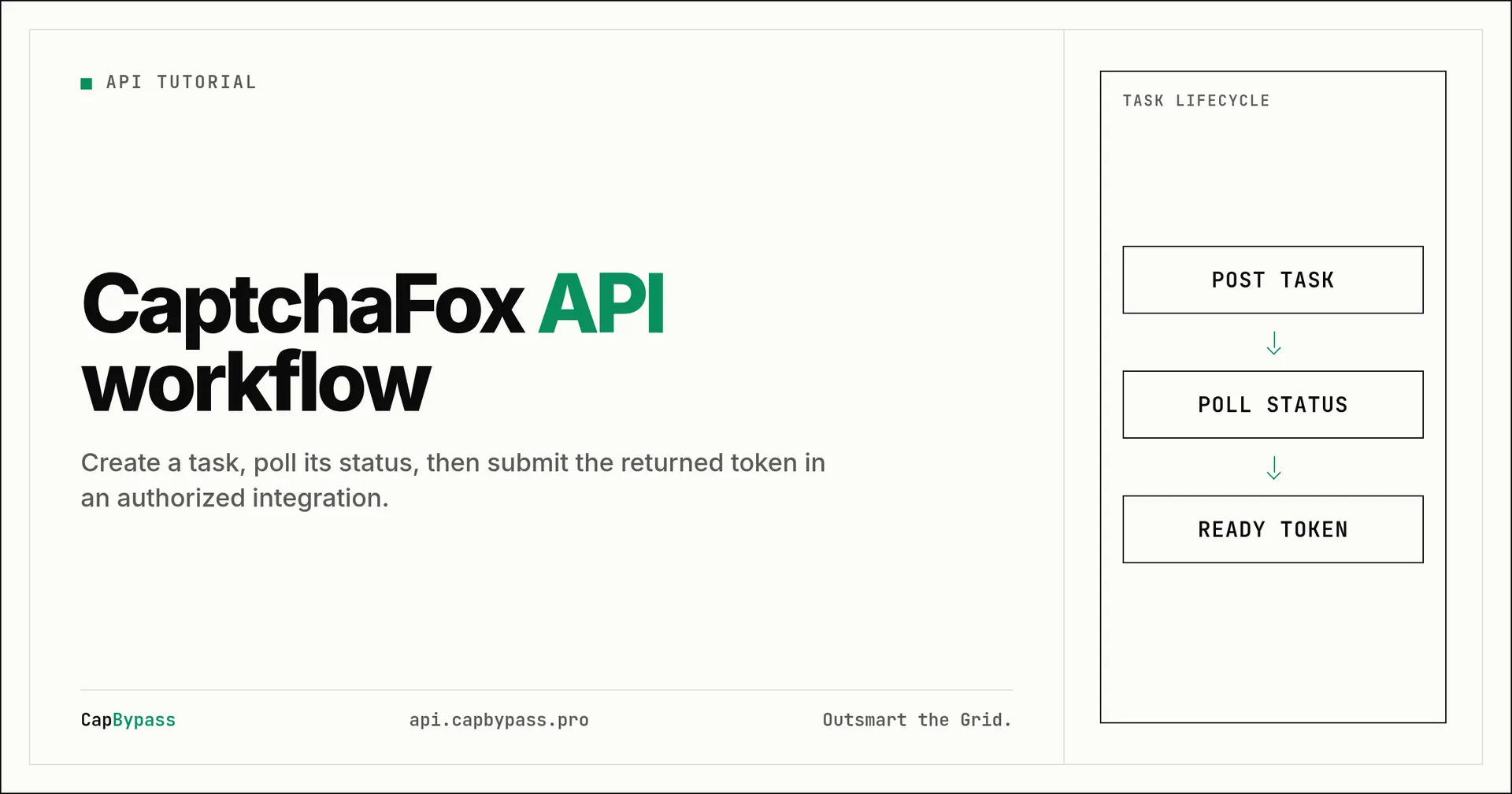
A create-and-poll loop is the smallest reliable pattern for a captcha-solving API integration. You submit a task to https://api.capbypass.pro/createTask, retain the returned taskId, then ask https://api.capbypass.pro/getTaskResult for that exact ID until the API marks it ready. This tutorial shows that flow with curl, Python, and TypeScript.
Use this pattern only where you are authorized to automate the target. The examples use the live documented GeetestTaskProxyLess shape from the CapBypass API documentation. The important implementation detail is not the widget family. It is keeping one task ID, waiting between polls, and treating error responses as terminal rather than looping forever.
What the API flow returns
A successful create request returns a task identifier. Store it immediately. It is the only value needed to retrieve the matching result later.
The result endpoint can report that processing is still underway or that it has completed. When the status is ready, read the solution object and pass its fields to the authorized browser or HTTP flow that requested the challenge. Do not reuse a result across unrelated pages, sessions, or challenge instances.
A production client also needs limits:
- Set a wall-clock deadline for the whole operation.
- Pause before polling again instead of making a tight loop.
- Stop on an API error and log the error ID or code without logging credentials.
- Keep the task ID with the request that created it so concurrent workers do not mix results.
Run the flow with curl
This shell script creates one documented GeoTest-style task, polls it at five-second intervals, and prints the final JSON. Replace only REPLACE_WITH_YOUR_API_KEY.
#!/usr/bin/env bash
set -euo pipefail

API_KEY="REPLACE_WITH_YOUR_API_KEY"
CREATE_RESPONSE=$(curl --silent --show-error --fail-with-body \
  --request POST https://api.capbypass.pro/createTask \
  --header 'Content-Type: application/json' \
  --data "{\"clientKey\":\"${API_KEY}\",\"task\":{\"type\":\"GeetestTaskProxyLess\",\"websiteURL\":\"https://example.com\",\"captchaId\":\"fcd636b4514bf7ac4143922550b3008\"}}")

TASK_ID=$(printf '%s' "$CREATE_RESPONSE" | python3 -c 'import json,sys; print(json.load(sys.stdin)["taskId"])')
DEADLINE=$(( $(date +%s) + 120 ))

while [ "$(date +%s)" -lt "$DEADLINE" ]; do
  RESULT=$(curl --silent --show-error --fail-with-body \
    --request POST https://api.capbypass.pro/getTaskResult \
    --header 'Content-Type: application/json' \
    --data "{\"clientKey\":\"${API_KEY}\",\"taskId\":${TASK_ID}}")
  STATUS=$(printf '%s' "$RESULT" | python3 -c 'import json,sys; print(json.load(sys.stdin).get("status", ""))')
  if [ "$STATUS" = "ready" ]; then
    printf '%s\n' "$RESULT"
    exit 0
  fi
  sleep 5
done

printf '%s\n' 'Timed out while waiting for the task result.' >&2
exit 1
The script uses --fail-with-body so an HTTP error does not masquerade as JSON. It also uses a fixed deadline. A retry policy belongs outside the loop: create a new task only when the original request failed or expired according to the API response.
Use the same loop in Python
Install Requests with python -m pip install requests, save this as poll_task.py, and replace only REPLACE_WITH_YOUR_API_KEY.
import time
import requests

API_KEY = "REPLACE_WITH_YOUR_API_KEY"
BASE_URL = "https://api.capbypass.pro"
TASK = {
    "type": "GeetestTaskProxyLess",
    "websiteURL": "https://example.com",
    "captchaId": "fcd636b4514bf7ac4143922550b3008",
}

def post(path, payload):
    response = requests.post(f"{BASE_URL}{path}", json=payload, timeout=30)
    response.raise_for_status()
    data = response.json()
    if data.get("errorId") not in (0, None):
        raise RuntimeError(data)
    return data

created = post("/createTask", {"clientKey": API_KEY, "task": TASK})
task_id = created["taskId"]
deadline = time.monotonic() + 120

while time.monotonic() < deadline:
    result = post("/getTaskResult", {"clientKey": API_KEY, "taskId": task_id})
    if result.get("status") == "ready":
        print(result)
        break
    time.sleep(5)
else:
    raise TimeoutError("Timed out while waiting for the task result")
response.raise_for_status() handles transport failures. The separate errorId check handles a JSON API error response that arrived over HTTP successfully. Keeping those paths separate makes worker failures easier to diagnose.
Use the same loop in TypeScript
This example runs on Node.js 18 or newer, which provides fetch. Save it as poll-task.mjs and replace only REPLACE_WITH_YOUR_API_KEY.
const apiKey = "REPLACE_WITH_YOUR_API_KEY";
const baseUrl = "https://api.capbypass.pro";
const task = {
  type: "GeetestTaskProxyLess",
  websiteURL: "https://example.com",
  captchaId: "fcd636b4514bf7ac4143922550b3008",
};

async function post(path: string, body: object) {
  const response = await fetch(`${baseUrl}${path}`, {
    method: "POST",
    headers: { "Content-Type": "application/json" },
    body: JSON.stringify(body),
  });
  const data = await response.json();
  if (!response.ok || (data.errorId !== undefined && data.errorId !== 0)) {
    throw new Error(JSON.stringify(data));
  }
  return data;
}

const created = await post("/createTask", { clientKey: apiKey, task });
const deadline = Date.now() + 120_000;

while (Date.now() < deadline) {
  const result = await post("/getTaskResult", {
    clientKey: apiKey,
    taskId: created.taskId,
  });
  if (result.status === "ready") {
    console.log(JSON.stringify(result, null, 2));
    process.exit(0);
  }
  await new Promise((resolve) => setTimeout(resolve, 5_000));
}

throw new Error("Timed out while waiting for the task result");
In a service, return the completed solution object to the caller that owns the authorized session. Do not expose the API key to a browser bundle. Keep it in a server-side environment variable or secret manager.
Avoid common polling mistakes
Do not call getTaskResult in a zero-delay loop. It wastes requests and makes it harder to spot a real failure. Five seconds is a simple starting interval for a single worker. For many jobs, schedule the next check rather than blocking a worker thread.
Do not infer success from the presence of a taskId. Creation and completion are separate states. Likewise, do not treat every non-ready response as an error. Check the explicit status and preserve the original task ID until your deadline expires.
Finally, keep request context close to the result. If a task is associated with a particular authorized session, URL, or challenge instance, route the ready result back to that same context. This prevents accidental cross-request token handling.
Bonus: +5% credits on every top-up
New to CapBypass? Apply code
WELCOME_2026at checkout for an extra 5% in credits on every top-up, with no minimum and no expiry. Redeem it on the top-up page.
Verify the integration before scaling it
Start with one authorized test workflow. Record the task ID, the elapsed time, the final status, and any non-secret error code. Then add bounded retries around network failures, not blind retries around every response. This gives you enough information to distinguish a bad request, an expired challenge, and a temporary transport problem.
For endpoint names and task schemas, consult the CapBypass API documentation. Keep your integration pinned to documented fields, and update it when the documented schema changes.
Ready to start solving CAPTCHAs?
Get started with CapBypass in minutes. No credit card required.