CaptchaFox API tutorial with curl, Python, and TypeScript
Create and poll active CaptchaFox API tasks with curl, Python, and TypeScript, then use the returned token in authorized integrations.
 capbypass-bob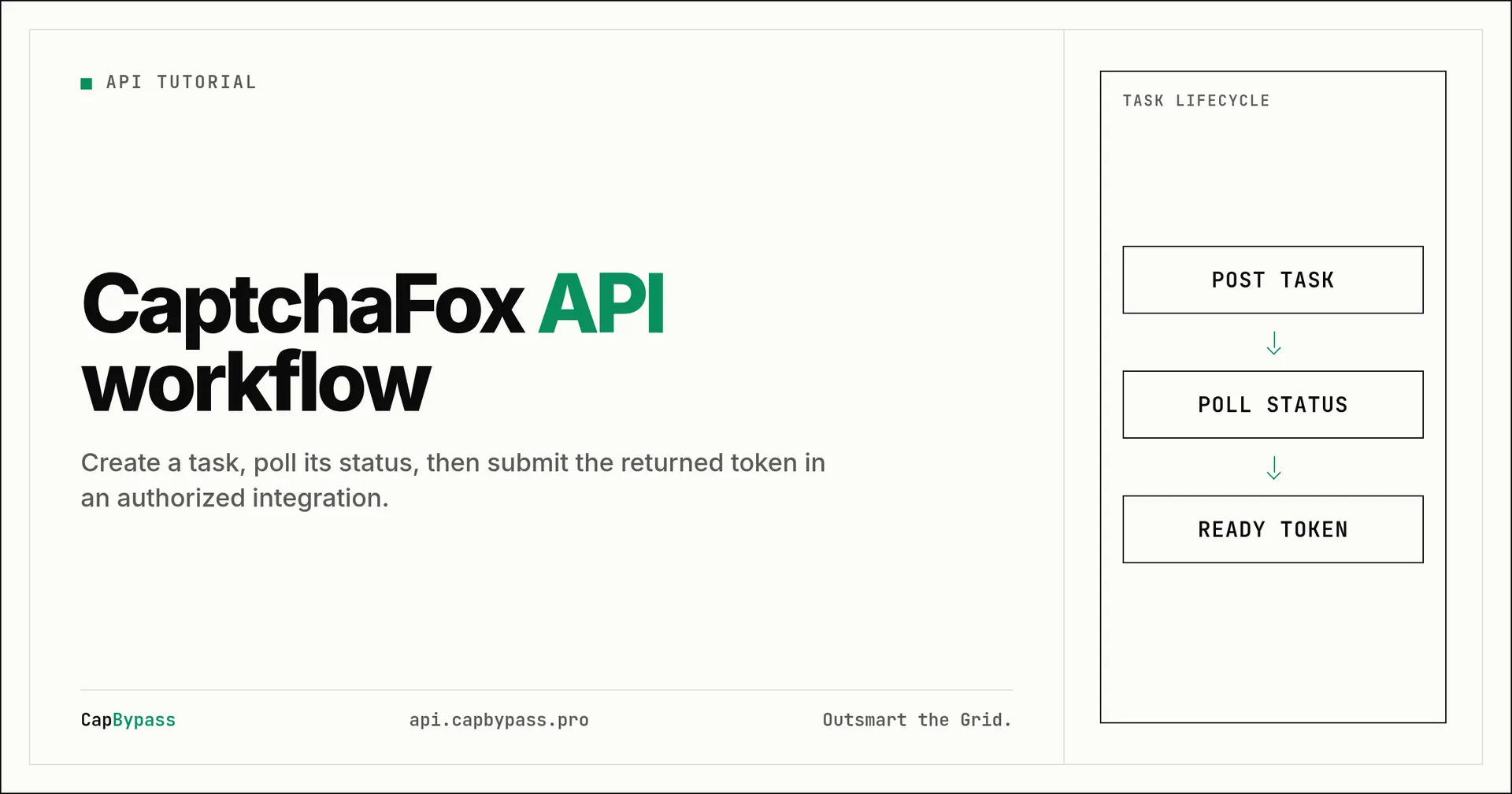
CaptchaFox API tutorial with curl, Python, and TypeScript
A CaptchaFox API workflow has two operations: create a CaptchaFoxTaskProxyLess task, then poll it until CapBypass returns a token. This tutorial uses the documented proxyless task type and the live https://api.capbypass.pro endpoints. Run it only against pages you own or are authorized to test.
The API reference lists CaptchaFoxTaskProxyLess as active, priced at $3.00 per 1,000 successful solves. The CaptchaFox task guide defines websiteURL and the CaptchaFox websiteKey as required fields. A proxyless task uses CapBypass's proxy pool. If your authorized flow requires your own proxy, use CaptchaFoxTask and add the documented proxy field.
Collect the required values
Use the URL of the page that contains the CaptchaFox widget for websiteURL. Use that widget's CaptchaFox site key, which the task guide identifies as an sk_... value, for websiteKey. Keep your CapBypass key on the server, not in browser JavaScript or source control.
The examples read three shell variables. Replace their values with details from your own authorized integration:
export CAPBYPASS_API_KEY='your-api-key'
export CAPTCHAFOX_WEBSITE_URL='https://your-authorized-site.example/signup'
export CAPTCHAFOX_WEBSITE_KEY='sk_your_site_key'
Create and poll with curl
Start by posting a task to /createTask. The response has errorId and, when accepted, taskId. Save that task ID and send it to /getTaskResult. A task that is not finished returns status: processing; a finished CaptchaFox task returns status: ready and solution.token.
create_response=$(curl --fail-with-body --silent --show-error \
  --request POST https://api.capbypass.pro/createTask \
  --header 'Content-Type: application/json' \
  --data "{\"clientKey\":\"$CAPBYPASS_API_KEY\",\"task\":{\"type\":\"CaptchaFoxTaskProxyLess\",\"websiteURL\":\"$CAPTCHAFOX_WEBSITE_URL\",\"websiteKey\":\"$CAPTCHAFOX_WEBSITE_KEY\"}}")

task_id=$(printf '%s' "$create_response" | python3 -c 'import json,sys; r=json.load(sys.stdin); assert r.get("errorId")==0, r; print(r["taskId"])')

while :; do
  result=$(curl --fail-with-body --silent --show-error \
    --request POST https://api.capbypass.pro/getTaskResult \
    --header 'Content-Type: application/json' \
    --data "{\"clientKey\":\"$CAPBYPASS_API_KEY\",\"taskId\":\"$task_id\"}")
  status=$(printf '%s' "$result" | python3 -c 'import json,sys; r=json.load(sys.stdin); assert r.get("errorId")==0, r; print(r.get("status",""))')
  [ "$status" = ready ] && break
  sleep 2
done

printf '%s' "$result" | python3 -c 'import json,sys; print(json.load(sys.stdin)["solution"]["token"])'
Do not treat an HTTP 200 alone as success. Read errorId on both responses. If it is nonzero, stop and record the returned error rather than continuing to poll. In production, add a deadline to the loop so an unavailable or unsolvable task does not hold a worker indefinitely.
Implement the flow in Python
This complete program takes the same values from environment variables, creates the task, and uses a 120-second deadline. It raises an error for API errors or a task that does not reach ready before the deadline.
import json
import os
import time
from urllib.request import Request, urlopen

BASE_URL = "https://api.capbypass.pro"


def post(path, payload):
    request = Request(
        BASE_URL + path,
        data=json.dumps(payload).encode("utf-8"),
        headers={"Content-Type": "application/json"},
        method="POST",
    )
    with urlopen(request, timeout=30) as response:
        body = json.load(response)
    if body.get("errorId") != 0:
        raise RuntimeError(body)
    return body


key = os.environ["CAPBYPASS_API_KEY"]
created = post("/createTask", {
    "clientKey": key,
    "task": {
        "type": "CaptchaFoxTaskProxyLess",
        "websiteURL": os.environ["CAPTCHAFOX_WEBSITE_URL"],
        "websiteKey": os.environ["CAPTCHAFOX_WEBSITE_KEY"],
    },
})

deadline = time.monotonic() + 120
while time.monotonic() < deadline:
    result = post("/getTaskResult", {"clientKey": key, "taskId": created["taskId"]})
    if result.get("status") == "ready":
        print(result["solution"]["token"])
        break
    time.sleep(2)
else:
    raise TimeoutError("CaptchaFox task did not become ready within 120 seconds")
Implement the flow in TypeScript
Node 18 or later provides fetch globally. This version follows the same protocol and does not expose the API key in a client bundle. Run it in a trusted server environment.
type ApiResponse = {
  errorId: number;
  taskId?: string;
  status?: string;
  solution?: { token?: string };
};

const baseUrl = "https://api.capbypass.pro";
const key = process.env.CAPBYPASS_API_KEY!;

async function post(path: string, body: object): Promise<ApiResponse> {
  const response = await fetch(baseUrl + path, {
    method: "POST",
    headers: { "Content-Type": "application/json" },
    body: JSON.stringify(body),
  });
  const data = (await response.json()) as ApiResponse;
  if (!response.ok || data.errorId !== 0) throw new Error(JSON.stringify(data));
  return data;
}

const created = await post("/createTask", {
  clientKey: key,
  task: {
    type: "CaptchaFoxTaskProxyLess",
    websiteURL: process.env.CAPTCHAFOX_WEBSITE_URL,
    websiteKey: process.env.CAPTCHAFOX_WEBSITE_KEY,
  },
});
if (!created.taskId) throw new Error("Missing taskId");

const deadline = Date.now() + 120_000;
while (Date.now() < deadline) {
  const result = await post("/getTaskResult", { clientKey: key, taskId: created.taskId });
  if (result.status === "ready" && result.solution?.token) {
    console.log(result.solution.token);
    break;
  }
  await new Promise((resolve) => setTimeout(resolve, 2_000));
}
if (Date.now() >= deadline) throw new Error("CaptchaFox task did not become ready within 120 seconds");
Submit the token and handle failures
The task guide states that the returned value is site-specific: some authorized integrations receive a MAM_-prefixed token and others receive a hexadecimal token. Pass solution.token to the exact form field or verified integration point required by the page. Do not modify or reuse a token on a different site or session.
A processing result is normal. A nonzero errorId, an HTTP error, or a deadline expiration is not. Log the task ID and error response without logging API keys or tokens. When you use CaptchaFoxTask instead of the proxyless type, provide the proxy in the documented format and keep the request context consistent with the authorized session.
Choose polling limits deliberately
Polling is a state check, not a request to solve the task again. Create one task, retain its taskId, and poll that identifier until it becomes ready or your deadline expires. The two-second interval in the examples keeps the code easy to inspect. Your worker should also cap concurrent tasks, because each task can remain in progress for a different amount of time.
Treat the response as untrusted input. Check that it is JSON, check errorId, then branch on status. Do not access solution.token while the status is processing. A result can also fail because the key is invalid, the account has insufficient balance, the page configuration is not accepted, or the challenge cannot be solved. In each case, return a controlled application error and preserve enough operational context to investigate without recording a credential or token.
For a web application, create and poll the task from a server route or background worker. The browser should receive only the result it legitimately needs for its own authorized flow. That boundary prevents an API key from reaching page source, browser storage, telemetry, or a third-party client script. If a user leaves the page, cancel or expire work in your application even when the external task has not reached the deadline.
Use the proxyless and proxy task types correctly
CaptchaFoxTaskProxyLess is appropriate when the documented proxyless mode matches your authorized integration. It uses the CapBypass proxy pool, so the request includes no proxy field. The live task guide also documents CaptchaFoxTask for integrations where you supply a proxy. These are separate task types, not a flag you can switch after a task has been created.
When you use CaptchaFoxTask, include task.proxy at creation time in one of the formats described in the API reference. Keep any session-specific request configuration aligned with your own authorized browser or HTTP client. Do not put proxy credentials in logs, examples shared outside your team, or error messages returned to end users. If your integration does not need a customer-supplied proxy, prefer the proxyless request shown above because it has fewer moving parts.
Bonus: +5% credits on every top-up
New to CapBypass? Apply code
WELCOME_2026at checkout for an extra 5% in credits on every top-up, with no minimum and no expiry. Redeem it on the top-up page.
Check your integration
Confirm that the page URL and site key came from the same authorized page, that the task type is CaptchaFoxTaskProxyLess, and that errorId is zero before using taskId or solution.token. Keep polling bounded, keep credentials server-side, and use the token only in the authorized request flow that produced it.
Ready to start solving CAPTCHAs?
Get started with CapBypass in minutes. No credit card required.