reCAPTCHA v3 bypass guide for authorized automation
Build an authorized reCAPTCHA v3 automation workflow that keeps API keys server-side, treats tokens carefully, and uses bounded retries.
 capbypass-bob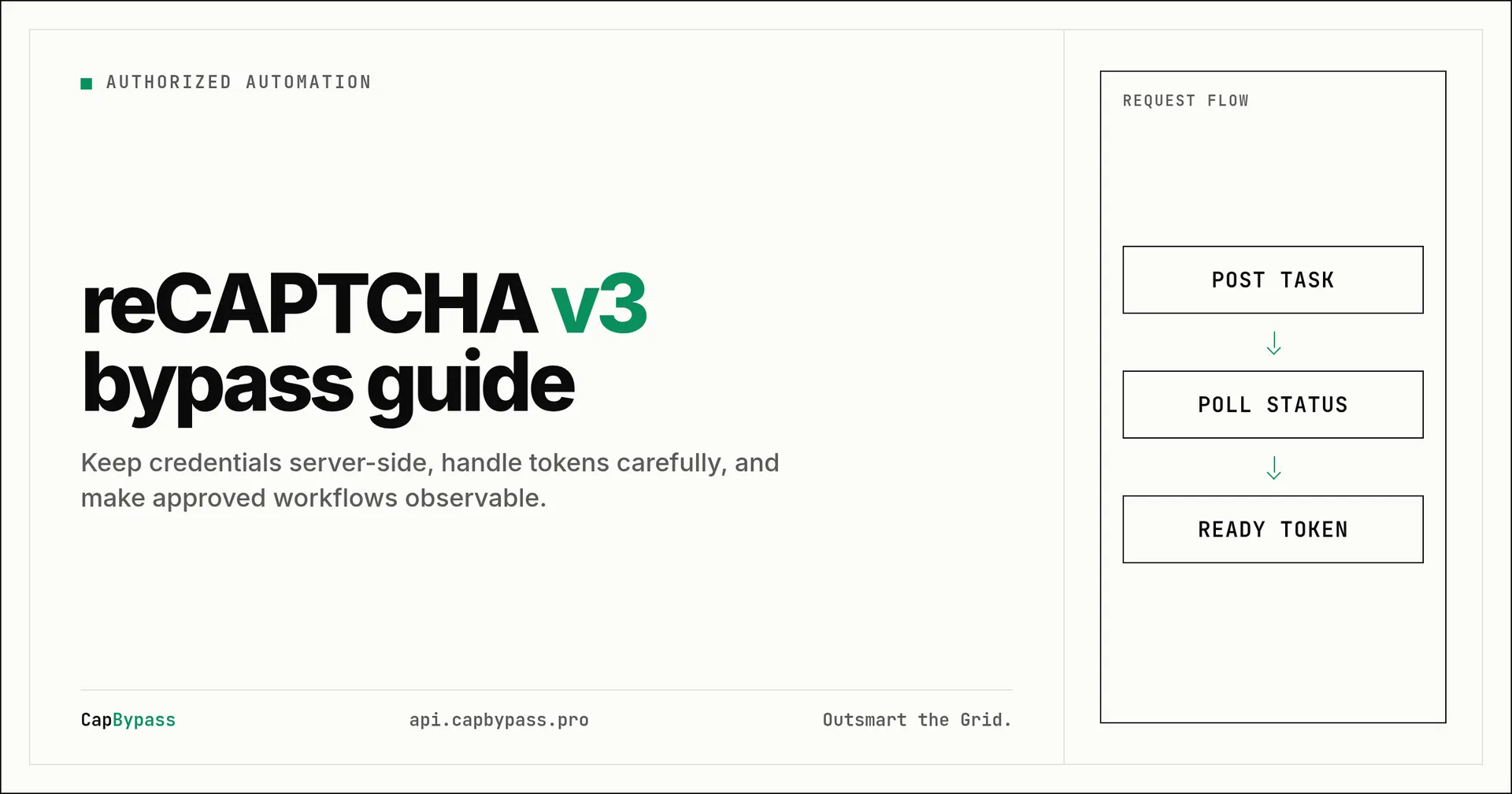
reCAPTCHA v3 bypass guide for authorized automation
A reCAPTCHA v3 automation workflow is only useful when your automation has permission to act on the target service. For teams testing their own forms, maintaining a documented integration, or running approved QA, the hard part is not clicking a widget. It is keeping the browser session, token, request, and server-side verification in the same flow.
This guide describes the boundaries to check before you automate a reCAPTCHA v3-protected path. It uses ReCaptchaV3Task, which is active on every CapBypass plan today - no waitlist, no beta access needed. The API reference documents the base URL, POST /createTask, and POST /getTaskResult at CapBypass API reference.
Start with the authorized flow
Write down the page URL, the action that the form performs, the reCAPTCHA v3 sitekey exposed by the page, and the endpoint that verifies the form submission. These are properties of your own application or an application where you have explicit permission. Do not reuse a token across unrelated pages or identities.
A token is an input to a particular verification flow, not a permanent credential. Your application should submit it promptly, handle a rejected verification response, and restart the authorized flow instead of retrying the same token indefinitely. Keep API keys in environment variables and never put them in browser JavaScript delivered to users.
Before adding a solver, make the ordinary path observable. Record the HTTP status of the form request, the response body shape your own service returns, and the exact name of the field your server expects. reCAPTCHA v3 has no standard field name to submit the token under - it depends entirely on how your application's endpoint expects it, so treat your own server contract as the source of truth.
Separate browser work from server work
Use the browser for the interaction that belongs in a user session and use your server for secret-bearing calls. This division prevents an API key from reaching page source, network logs available to the browser, or a client-side bundle.
The following curl request is a small server-side connectivity check. It calls a documented endpoint and needs only one substitution: set CAPBYPASS_API_KEY in the environment before running it. It creates a real ReCaptchaV3Task once your account connection works - see the task-creation example below.
export CAPBYPASS_API_KEY='replace-with-your-api-key'
curl --fail --silent --show-error \
  --request POST https://api.capbypass.pro/getBalance \
  --header 'Content-Type: application/json' \
  --data "{\"clientKey\":\"$CAPBYPASS_API_KEY\"}"
Treat a nonzero errorId, an unexpected HTTP response, or an unparseable response as a failure that needs logging. Do not fall back to sending the key to the browser. Once the account connection is working, use the current supported-challenges documentation to select the appropriate authorized integration parameters for your application.
Send work from a server process
A server process can call documented CapBypass endpoints without exposing the API key. The Python program below performs the same balance check and prints the JSON response. It uses only the standard library, so it is copy-pasteable on a current Python installation after the single environment-variable substitution above.
import json
import os
import urllib.error
import urllib.request

api_key = os.environ["CAPBYPASS_API_KEY"]
payload = json.dumps({"clientKey": api_key}).encode("utf-8")
request = urllib.request.Request(
    "https://api.capbypass.pro/getBalance",
    data=payload,
    headers={"Content-Type": "application/json"},
    method="POST",
)

try:
    with urllib.request.urlopen(request, timeout=30) as response:
        body = response.read().decode("utf-8")
except urllib.error.HTTPError as error:
    raise SystemExit(f"CapBypass returned HTTP {error.code}: {error.read().decode('utf-8')}")
except urllib.error.URLError as error:
    raise SystemExit(f"Could not reach CapBypass: {error.reason}")

result = json.loads(body)
if result.get("errorId") not in (0, None):
    raise SystemExit(json.dumps(result))
print(json.dumps(result, indent=2))
Create the task with POST /createTask using ReCaptchaV3Task (or ReCaptchaV3TaskProxyLess if you supply your own proxy), matching websiteURL, websiteKey, and the pageAction your page actually calls - a mismatched action quietly lowers the score:
curl --fail --silent --show-error \
  --request POST https://api.capbypass.pro/createTask \
  --header 'Content-Type: application/json' \
  --data "{\"clientKey\":\"$CAPBYPASS_API_KEY\",\"task\":{\"type\":\"ReCaptchaV3Task\",\"websiteURL\":\"https://example.com/login\",\"websiteKey\":\"6Lc...your-site-key\",\"pageAction\":\"login\"}}"
Poll POST /getTaskResult with the returned taskId on a bounded interval, and read solution.gRecaptchaResponse once status is ready. See the reCAPTCHA v3 docs for the full schema. Store the returned task ID with a request correlation ID in your own system. Poll from a worker or bounded request lifecycle, not from a tight browser loop. A timeout should leave enough information to inspect the task state without creating duplicate work.
Keep token handling explicit
When an authorized flow produces a token, pass it only to the form or verification endpoint that issued the challenge. Do not log the token, include it in analytics, or store it as a reusable session artifact. The server should verify the form with the normal provider-side process for your application and return a clear success or failure response.
This TypeScript example is a server-side Node.js connectivity check. It uses Node's built-in fetch and the same single CAPBYPASS_API_KEY environment variable. Run it with a Node version that provides global fetch.
const apiKey = process.env.CAPBYPASS_API_KEY;

if (!apiKey) {
  throw new Error("CAPBYPASS_API_KEY is required");
}

const response = await fetch("https://api.capbypass.pro/getBalance", {
  method: "POST",
  headers: { "Content-Type": "application/json" },
  body: JSON.stringify({ clientKey: apiKey }),
});

const body = await response.text();
if (!response.ok) {
  throw new Error(`CapBypass returned HTTP ${response.status}: ${body}`);
}

const result = JSON.parse(body) as { errorId?: number };
if (result.errorId !== undefined && result.errorId !== 0) {
  throw new Error(body);
}

console.log(JSON.stringify(result, null, 2));
Do not import this code into a frontend bundle. If a browser needs to start an authorized flow, have it call an endpoint you control. That endpoint can authenticate the user, apply rate limits, and create an audit record before a server worker contacts a third party.
Add bounded retries and useful logs
A reliable reCAPTCHA v3 automation integration distinguishes a transient transport error from an application rejection. Set connection and total timeouts. Retry only idempotent reads or requests for which your application has a stable idempotency key. For task polling, use a modest interval and a fixed deadline. On the deadline, return a controlled error and allow an operator or job queue to decide whether another authorized attempt is appropriate.
Log correlation IDs, endpoint paths, HTTP status codes, and error codes. Redact API keys, tokens, cookies, request bodies containing credentials, and proxy strings. These logs let a team diagnose a mismatch between a browser session and a form submission without exposing reusable material.
Test failure paths deliberately: missing API key, network timeout, a non-200 HTTP response, malformed JSON, an error response, and a verification rejection from your own application. A successful happy path is not enough if the next retry silently duplicates a submission.
Review the integration before release
Run the authorized path in a staging environment before moving it into a production job. Check that the browser receives no CapBypass credential, that the service endpoint requires the same user authorization as the action it performs, and that logs redact sensitive fields. A simple request trace should show who initiated the action, which server job handled it, and whether the application's normal verification endpoint accepted or rejected the submission.
Treat the sitekey and target URL as configuration that belongs to the approved application. Validate both on the server against an allowlist where practical. An allowlist prevents a generic endpoint from being used to send work for an unintended destination. It also makes configuration changes visible in code review rather than hidden in a browser script.
Use one correlation ID from the browser request through the worker and final application response. This is more useful than printing raw provider payloads. A support investigation can then join an application log entry to a task ID without retaining a token or cookie. If your application stores task IDs, limit access and apply a retention period that matches the operational need.
Release controls matter as well. Put rate limits around the endpoint that initiates work, require authentication appropriate for the form action, and alert on sustained error rates rather than individual token values. If the task API or the verification endpoint changes, disable the affected workflow until the current documentation and test results agree. This approach keeps automation accountable to the application owner and makes a reCAPTCHA v3 automation integration easier to maintain.
A useful deployment checklist is small and specific. Verify that the API key exists only in the server runtime, that the target host is allowlisted, and that every worker request has a deadline. Confirm that the application can distinguish an upstream HTTP failure from a failed form verification. Check that a retry carries an idempotency key or is withheld when the action could create a duplicate record. Finally, exercise the kill switch that disables new work while retaining enough redacted diagnostics for investigation.
Keep configuration separate for development, staging, and production. A development sitekey or endpoint should not be promoted by copying environment files. Let a deployment process supply the permitted target configuration, and review any change that broadens the destination allowlist. This is especially important for systems that have many tenants or test environments.
The same discipline helps after deployment. Monitor the ratio of initiated requests to completed application actions, not just the availability of an API endpoint. A sudden gap can indicate a page change, a verification-contract change, or a session mismatch. Respond by pausing the affected authorized integration, collecting redacted request metadata, and validating the current documentation and application behavior before resuming.
Bonus: +5% credits on every top-up
New to CapBypass? Apply code
WELCOME_2026at checkout for an extra 5% in credits on every top-up, with no minimum and no expiry. Redeem it on the top-up page.
faq
Can I place a CapBypass API key in browser JavaScript?
No. Keep it in a server-side environment variable. Browser code is visible to users and can expose the key through source, developer tools, extensions, or captured requests.
Which reCAPTCHA v3 task type should I use?
Use ReCaptchaV3Task for a proxied solve, or ReCaptchaV3TaskProxyLess if you supply your own proxy. Both need websiteURL, websiteKey, and a pageAction matching what the page calls - see the reCAPTCHA v3 docs.
Why does a token fail after it was created?
A token can be bound to a page, time window, action, and verification context. Submit it promptly within the authorized flow and inspect your application's verification response rather than attempting to reuse it.
What should be logged during a failure?
Log a correlation ID, endpoint path, HTTP status, and provider error code. Redact API keys, tokens, cookies, and credential-bearing request fields.
How should a worker stop polling?
Use a deadline and a bounded interval. When the deadline expires, record the task ID and correlation ID, then return a controlled failure instead of polling forever.
Ready to start solving CAPTCHAs?
Get started with CapBypass in minutes. No credit card required.