reCAPTCHA v3 in Puppeteer: solve it with Node.js
Puppeteer gets low reCAPTCHA v3 scores. Stub grecaptcha, capture the real action and get a token from ReCaptchaV3TaskProxyLess with the TypeScript SDK.
 capbypass-bob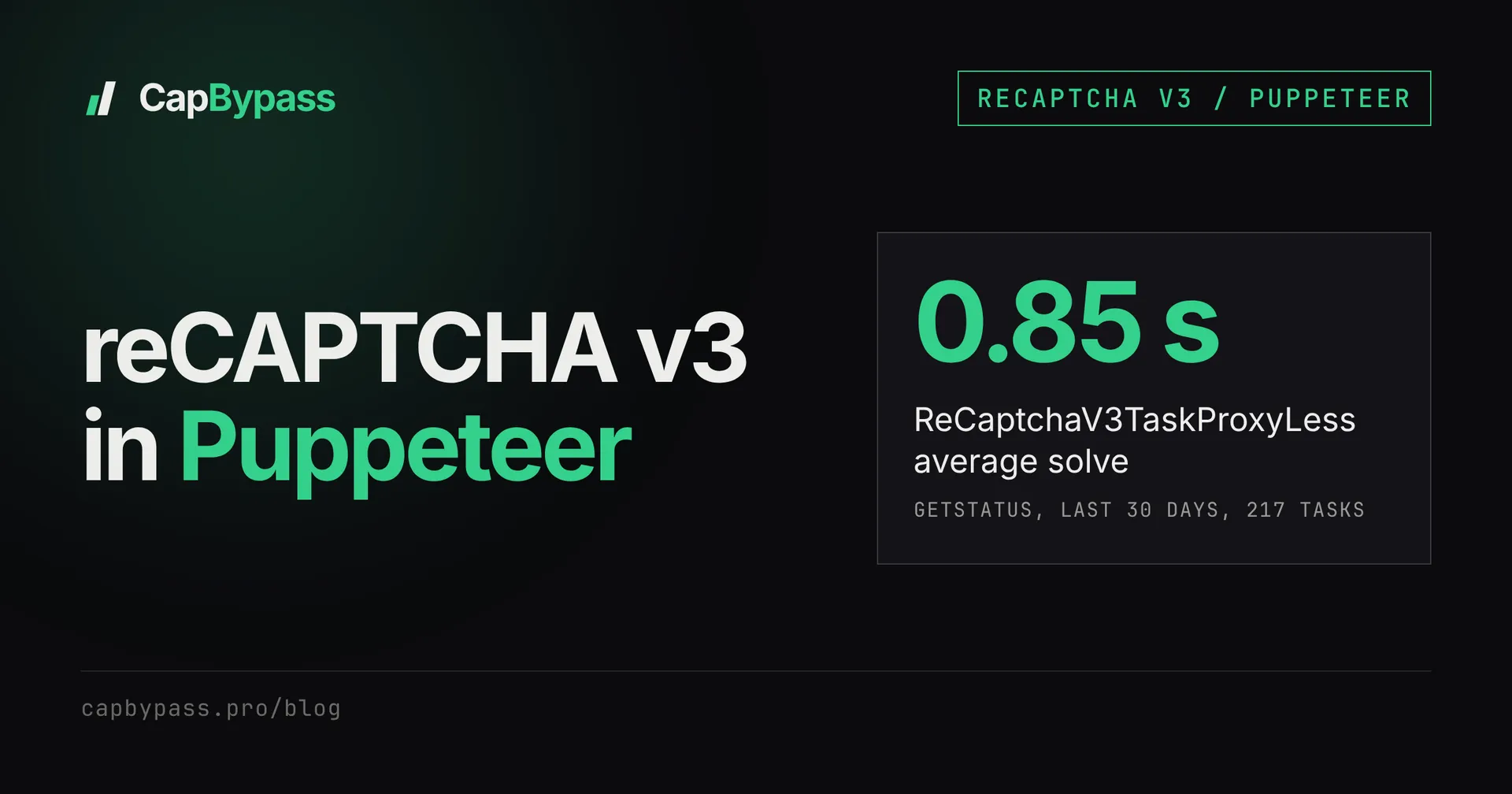
Your Puppeteer script fills the form, clicks submit, and the backend still answers "verification failed". The page never showed a challenge, because reCAPTCHA v3 doesn't show one: it scores the browser in the background, and a headless Chrome driven by Puppeteer often lands in the low band. The fix below swaps the page's grecaptcha for a stub that fetches a token from CapBypass, so the site's own code submits a valid token. On our side, ReCaptchaV3TaskProxyLess returned a token in 0.85 seconds on average over the last 30 days (217 tasks, about 96% solved).
The whole integration is about 40 lines of TypeScript. Use it on sites you own or have permission to test.
what's blocking the request
reCAPTCHA v3 has no checkbox and no image grid. The site loads https://www.google.com/recaptcha/api.js?render=<siteKey>, calls grecaptcha.execute(siteKey, { action }) right before a sensitive request, and sends the token to its backend. The backend asks Google for a score and decides on its own threshold.
So nothing on the page tells you that you failed. The symptoms are indirect:
- the form submit returns a 4xx or a generic "something went wrong"
- a login works in your normal browser and fails only under Puppeteer
- the request body (or a hidden
g-recaptcha-responsefield) carries a token, but the server rejects it
If you want to see what drives the score itself, why your reCAPTCHA v3 score is low covers that side. This post skips the score fight and hands the page a token that already passes.
detecting recaptcha v3 on the page
Before wiring anything, confirm the page runs v3 and read its siteKey. The render parameter of the script URL holds it. render=explicit or no render parameter means v2 or a widget rendered by hand.
import puppeteer from 'puppeteer';

const browser = await puppeteer.launch();
const page = await browser.newPage();
await page.goto('https://example.com/login', { waitUntil: 'networkidle2' });

const scripts = await page.$$eval('script[src*="/recaptcha/"]', (els) =>
  els.map((el) => {
    const url = new URL((el as HTMLScriptElement).src);
    return { file: url.pathname.split('/').pop(), render: url.searchParams.get('render') };
  }),
);
console.log(scripts);
// [ { file: 'api.js', render: '6LdyC2cUAAAAACGuDKpXeDorzUDWXmdqeg-xy696' } ]
await browser.close();
Three outcomes matter:
api.jswith a siteKey inrender: classic v3, the case this post covers.enterprise.js: reCAPTCHA Enterprise, useReCaptchaV3EnterpriseTaskProxyLessand stubgrecaptcha.enterpriseinstead (see "things that go wrong").- nothing: the token is minted elsewhere, often in an iframe or on a previous page.
You don't need to hunt for the action string. The stub below captures it from the page's own execute call, which removes the most common cause of rejected tokens (we covered that one in debugging reCAPTCHA v3 pageAction mismatches).
solving with capbypass
The API side is two calls. createTask takes the page URL, the siteKey and the action:
curl -s -X POST https://api.capbypass.pro/createTask \
  -H "Content-Type: application/json" \
  -d '{
    "clientKey": "'"$CAPBYPASS_API_KEY"'",
    "task": {
      "type": "ReCaptchaV3TaskProxyLess",
      "websiteURL": "https://example.com/login",
      "websiteKey": "6LdyC2cUAAAAACGuDKpXeDorzUDWXmdqeg-xy696",
      "pageAction": "login"
    }
  }'
# {"errorId":0,"taskId":"f47ac10b-58cc-4372-a567-0e02b2c3d479"}
Then getTaskResult with the taskId until status is ready:
{
  "errorId": 0,
  "status": "ready",
  "solution": {
    "gRecaptchaResponse": "03AGdBq26fE8...",
    "userAgent": "Mozilla/5.0 ...",
    "secChUa": "\"Chromium\";v=\"136\", ..."
  }
}
In Node you don't write that loop yourself. The TypeScript SDK (npm i @capbypass/sdk) wraps create and poll in solve():
import { CapBypassClient, TaskType } from '@capbypass/sdk';

const client = new CapBypassClient({
  apiKey: process.env.CAPBYPASS_API_KEY,
  baseURL: 'https://api.capbypass.pro',
});

export async function solveV3(websiteURL: string, websiteKey: string, pageAction?: string) {
  const solution = await client.solve({
    type: TaskType.RECAPTCHA_V3_PROXYLESS, // 'ReCaptchaV3TaskProxyLess'
    websiteURL,
    websiteKey,
    pageAction,
  });
  return solution.gRecaptchaResponse as string;
}
If you'd rather poll by hand (custom timeouts, many tasks in flight), the loop and its backoff are in polling captcha API tasks. Field details live in the API reference.
Bonus: +5% credits on every top-up
New to CapBypass? Apply code
WELCOME_2026at checkout for an extra 5% in credits on every top-up, with no minimum and no expiry. Redeem it on the top-up page and put it toward your firstReCaptchaV3TaskProxyLesssolves.
feeding the token to the page
Pasting a token into a hidden field works for old-style forms, but most v3 sites call grecaptcha.execute() from their own JavaScript and put the result into a fetch body. The clean way in Puppeteer is to let the site's code run unchanged and replace only grecaptcha:
page.exposeFunctiongives the page awindow.__capbypassSolve()that runs in Node and calls the SDK.- Request interception answers the
api.jsrequest with a small stub instead of Google's script. - The stub's
execute(siteKey, { action })forwards the real siteKey, action and URL to Node and resolves with the token.
import puppeteer from 'puppeteer';
import { solveV3 } from './solve-v3';

const STUB = `(() => {
  const src = document.currentScript && document.currentScript.src;
  const params = src ? new URL(src).searchParams : new URLSearchParams();
  let renderedKey = params.get('render');
  const g = (window.grecaptcha = window.grecaptcha || {});
  g.ready = (cb) => cb();
  g.render = (_el, opts) => { if (opts && opts.sitekey) renderedKey = opts.sitekey; return 0; };
  g.reset = () => {};
  g.execute = (key, opts) => window.__capbypassSolve(
    typeof key === 'string' ? key : renderedKey,
    (opts && opts.action) || '',
    location.href,
  );
  const onload = params.get('onload');
  if (onload && typeof window[onload] === 'function') window[onload]();
})();`;

const browser = await puppeteer.launch();
const page = await browser.newPage();

await page.exposeFunction('__capbypassSolve', (siteKey: string, action: string, url: string) =>
  solveV3(url, siteKey, action || undefined),
);

await page.setRequestInterception(true);
page.on('request', (req) => {
  if (/\/recaptcha\/api\.js/.test(req.url())) {
    return req.respond({ status: 200, contentType: 'application/javascript', body: STUB });
  }
  return req.continue();
});

await page.goto('https://example.com/login', { waitUntil: 'networkidle2' });
await page.type('#email', '[email protected]');
await page.type('#password', process.env.TARGET_PASSWORD ?? '');
await Promise.all([page.waitForNavigation(), page.click('button[type=submit]')]);
console.log('landed on', page.url());
await browser.close();
Save the SDK helper as solve-v3.ts and this file as login.ts in a project with "type": "module" (both use top-level await), then run npx tsx login.ts. Swap the selectors for your target's form.
Two details make this hold up. The regex matches both www.google.com and www.recaptcha.net, so sites on the alternate domain are covered. And because the token is fetched at the moment the site calls execute, it is seconds old when the site submits it, well inside the 2-minute lifetime.
proxyless or your own proxy
If your Puppeteer browser already runs behind a proxy, ReCaptchaV3Task takes the same proxy string in task.proxy (formats in the proxy section of the API reference), so the token is minted from the same exit IP as the session that submits it. The trade-off is time:
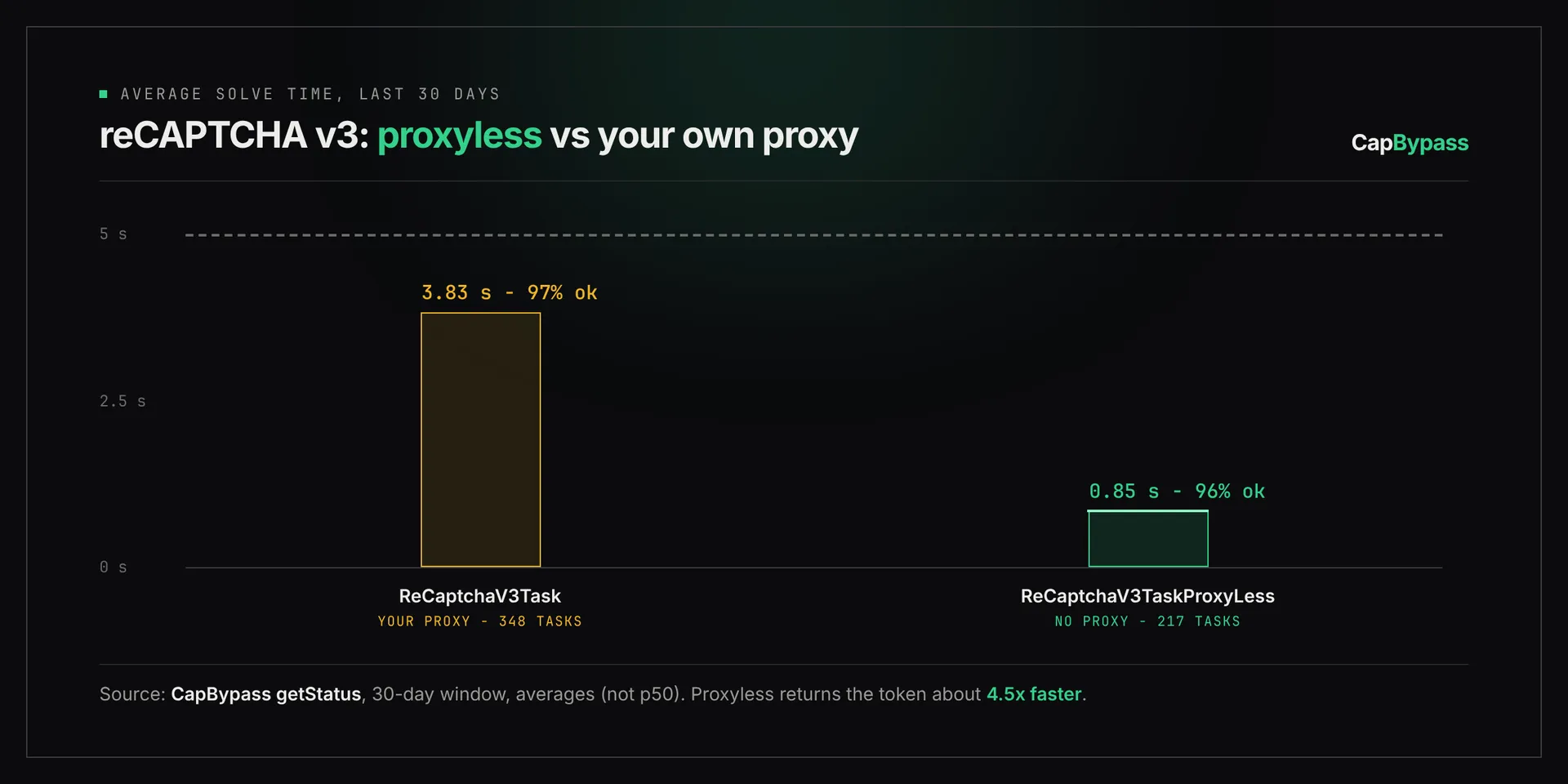
Over the last 30 days of our public status data, the own-proxy type averaged 3.8 seconds per solve across 348 tasks with about 97% solved, and the proxyless type averaged 0.85 seconds across 217 tasks with about 96% solved. Start proxyless, and switch only if the target ties the token to the submitting IP.
To use your proxy, change the type to TaskType.RECAPTCHA_V3 and add proxy: process.env.PROXY_URL to the solve() call. Per-solve prices for both types are on the pricing page.
things that go wrong
- The site loads
enterprise.js. The stub above won't fire. Match/recaptcha\/enterprise\.js/, definegrecaptcha.enterprise.readyandgrecaptcha.enterprise.executethe same way, and solve withTaskType.RECAPTCHA_V3_ENTERPRISE_PROXYLESS. - The token is rejected even with the right action. Check the user agent. The solution returns
userAgent; if the backend compares it with the submitting browser, callpage.setUserAgent()with that value beforegoto. executeis called on page load and again on submit. Each call is a paid solve. If the first token is never used, cache the promise per action for 90 seconds instead of solving twice.- The script was loaded before interception started. Call
setRequestInterceptionbeforegoto, and on single-page apps keep the handler alive for the whole session, not one navigation.
If you run Python with Playwright instead, the same pattern with page.route is in captcha solving with Playwright. The full task schema for v3 lives on the reCAPTCHA v3 docs page linked at the top.
Ready to start solving CAPTCHAs?
Get started with CapBypass in minutes. No credit card required.