GeeTest icon captcha solver: click challenges via API
Solve the GeeTest v4 icon click challenge with GeetestTaskProxyLess from captchaId alone: why DIY icon solvers break, Python code with retries, and 30-day solve times.
 capbypass-bob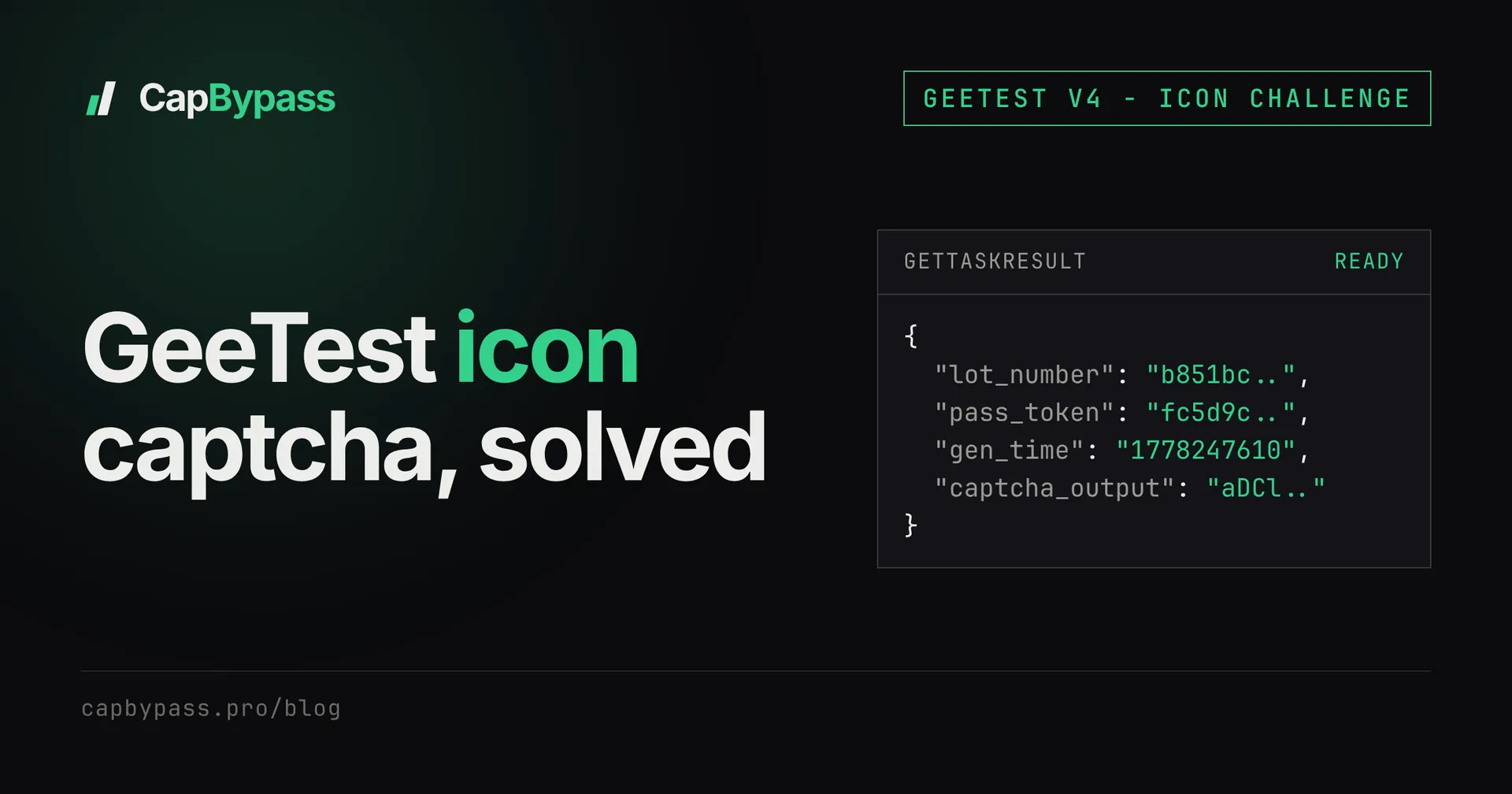
Your scraper reaches a GeeTest v4 widget that shows a picture and a strip of small icons with the prompt "click in order". That is the GeeTest icon captcha, and a GeeTest icon captcha solver has to do two things at once: find the right icons in the image, then submit the clicks in a payload GeeTest accepts. CapBypass handles both with GeetestTaskProxyLess from the page's captchaId alone. Over the last 30 days that task type ran 6,030 times with a 17.2 s average solve, so this guide also covers the timeout and retry numbers that go with it.
what the geetest icon captcha looks like
GeeTest v4 can serve nine challenge types from the same widget: slide, icon, svg_icon, nine, word, phrase, space, pencil and voice. The site owner picks a risk level in the GeeTest console, and GeeTest picks the challenge per visitor. The same login page can show a slide puzzle to one session and an icon challenge to the next.
The icon challenge shows:
- a background image (usually a photo or illustration, about 300 px wide) with 3 to 5 small icons scattered over it
- a row of 2 or 3 target icons under the image
- an instruction to click the targets in the order shown, then confirm
The icons on the image are rotated, scaled, recolored and sometimes partly hidden by the background. They never match the target row pixel for pixel, which is the whole point.
To confirm that a page serves GeeTest v4 rather than v3, open DevTools, Network tab, and filter on geetest:
- v4 calls
gcaptcha4.geetest.com/loadand/verify, and the page script callsinitGeetest4(...). - v3 calls
api.geetest.com/gettype.phpand/get.php, and the page callsinitGeetest(...).
The /load response is JSONP wrapped in a geetest_ callback. Inside it you will find the challenge type GeeTest picked for this session, the image paths and a lot_number. Reload a few times and you will often see the type change. That matters for the next section: anything you build for icon only covers some of your sessions.
The captcha_id you need for the API sits in the query string of that same /load request (captcha_id=fcd636b4..., 32 hex characters). It is fixed per site, so you can hard-code it. The step-by-step for both versions is in the GeeTest v4 API tutorial.
why icon challenges break diy solvers
There are open-source GeeTest icon solvers on GitHub, and some of them work for a while. Before paying for an API, it is worth knowing what they involve, because the cost is maintenance rather than code.
1. Icon detection. You need a model that finds every icon on the background and returns its bounding box. Most public projects train a small object detector (YOLO-family) on a few thousand labelled screenshots. Labelling is the expensive part: you screenshot challenges, draw boxes and retrain whenever GeeTest swaps its icon set.
2. Icon matching. Detection gives you boxes, not order. You still need to match each target icon in the strip to one box on the image, despite rotation and color changes. The usual approach is a siamese network or feature-embedding comparison. Wrong matches here are the most common failure, and a single wrong click fails the whole challenge.
3. Building the verify payload. Coordinates alone are not enough. GeeTest v4 expects an encrypted w parameter on /verify that wraps your clicks, timing data and a proof-of-work value derived from the /load response. The encryption lives in gcaptcha4.js, and GeeTest ships new builds of that script. When it changes, your payload builder breaks until someone reverses the new version.
4. The other eight types. Since GeeTest chooses the challenge, an icon-only solver fails every session that gets slide, nine or word. You end up maintaining several solvers, not one.
Browser automation (Playwright or Puppeteer clicking the real widget) removes step 3, because the page's own script builds the payload. You still need steps 1 and 2 to know where to click, and you pay for a full browser per solve.
If you only need a few dozen solves a day on a site you control, the DIY route is a fine learning project. At volume, the detection model and the payload builder become a part-time job.
solving the geetest icon captcha with capbypass
CapBypass detects the challenge type on its side. You never send a risk_type, and the same request covers icon, slide and the seven other v4 types. The only GeeTest-specific input is captchaId.
curl -s https://api.capbypass.pro/createTask \
  -H 'Content-Type: application/json' \
  -d '{
    "clientKey": "'"$CAPBYPASS_API_KEY"'",
    "task": {
      "type": "GeetestTaskProxyLess",
      "websiteURL": "https://example.com/login",
      "captchaId": "fcd636b4514bf7ac4143922550b3008b"
    }
  }'
# {"errorId":0,"taskId":"07af74e1-6fec-4503-86e3-a8d080126516"}
Then poll getTaskResult with that taskId until status is ready. The polling contract (interval, errors, refunds) is covered in polling captcha API tasks, so here is the Python SDK version, which wraps create and poll in one call (Python SDK docs):
import os
from capbypass import CapBypass

client = CapBypass(api_key=os.environ["CAPBYPASS_API_KEY"])

solution = client.solve({
    "type": "GeetestTaskProxyLess",
    "websiteURL": "https://example.com/login",
    "captchaId": "fcd636b4514bf7ac4143922550b3008b",
}, timeout=120)

print(solution["lot_number"], solution["pass_token"])
A ready result looks like this:
{
  "errorId": 0,
  "status": "ready",
  "solution": {
    "captcha_id": "fcd636b4514bf7ac4143922550b3008b",
    "lot_number": "b851bce155d94932921939de5f0fface",
    "pass_token": "fc5d9cec1c9412d1845249a0b70060b939ce94f51833f0324dd91f8f93ccc904",
    "gen_time": "1778247610",
    "captcha_output": "aDCl9jf9IT64VmwG8eCe9Gjqv..."
  }
}
Those five fields are what the widget hands the page after a human solves the icon challenge. Nothing in them says which challenge type was served, so the rest of your code does not change between icon and slide sessions. Use this on sites you own or have permission to test.
TypeScript uses the same shape through @capbypass/sdk (TypeScript SDK docs). If you run your own proxies, GeetestTask takes the same fields plus proxy.
Bonus: +5% credits on every top-up
New to CapBypass? Apply code
WELCOME_2026at checkout for an extra 5% in credits on every top-up, with no minimum and no expiry. Redeem it on the top-up page and put it toward your firstGeetestTaskProxyLesssolves.
what 6,030 tasks say about timeouts and retries
These numbers come from the public CapBypass status endpoint, 30-day window, for GeetestTaskProxyLess: 6,030 tasks, 75.8% success, 17.2 s average solve time. The 7-day window is almost identical (5,838 tasks, 75.1%, 17.2 s). Two caveats: the figures cover every GeeTest challenge type together, not icon alone, and 17.2 s is an average, not a median. The status page lists the type as degraded at the time of writing.
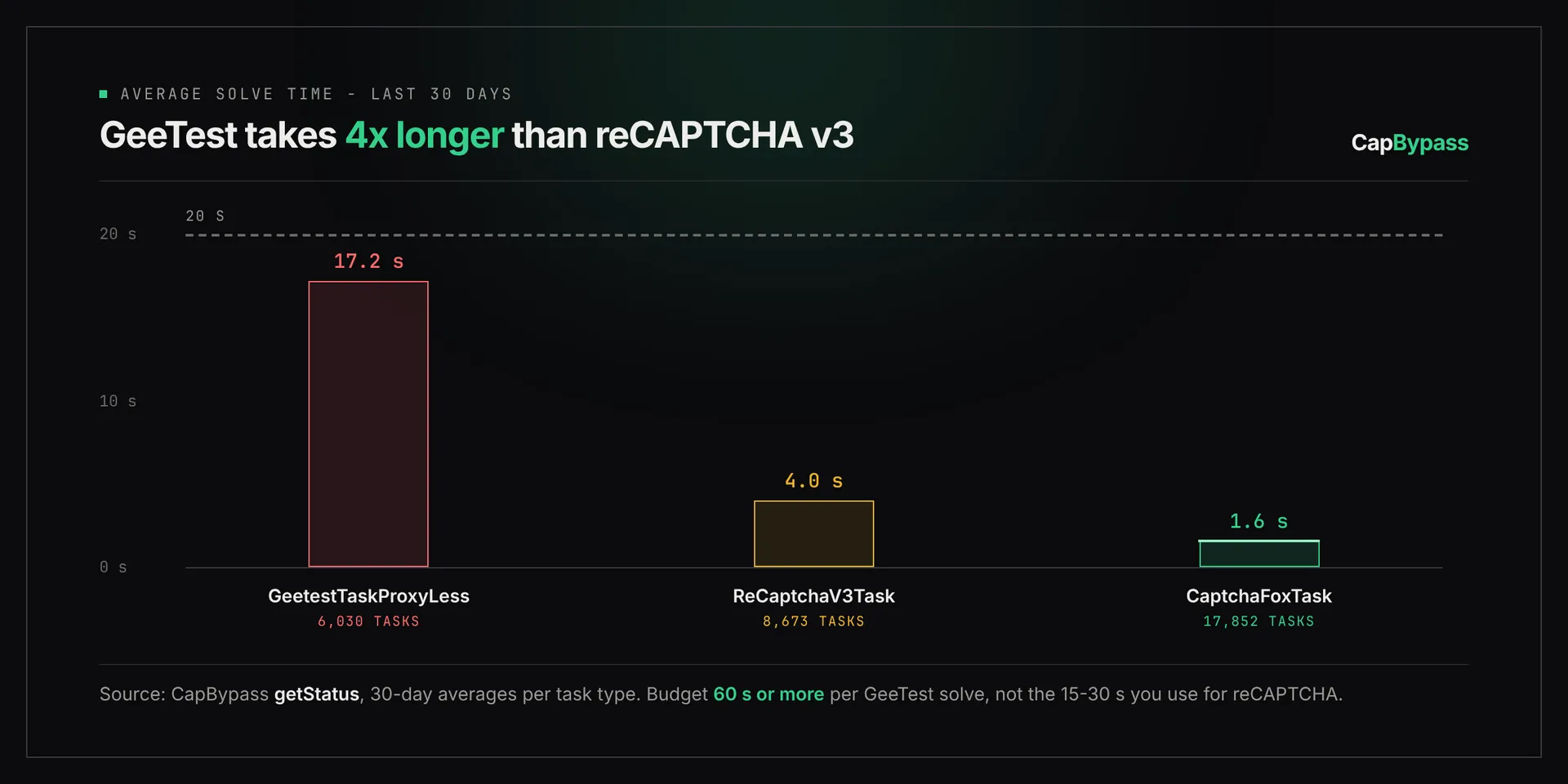
GeeTest is slow because the solver has to run the real challenge: read the image, pick the icons, produce the clicks. A reCAPTCHA v3 token over the same 30 days averaged 4.0 s. Three practical consequences:
- Set the client timeout to 120 s. A 30 s timeout copied from a reCAPTCHA integration abandons solves that land late. Both SDKs default
solve()to 120 s, so leave it there. - Poll every 3 s, not every 500 ms. At a 17 s average, 3 s polling costs about 6 requests per solve and adds at most 3 s of latency.
- Plan for one retry in four. With roughly 3 in 4 tasks succeeding, a single retry with a new task brings the combined odds to about 94%, two retries to about 98%, assuming failures are independent. Failed tasks are refunded, so a retry costs time, not credits.
A retry means a new createTask, never a second poll of a failed taskId:
import os
from capbypass import CapBypass

client = CapBypass(api_key=os.environ["CAPBYPASS_API_KEY"])

def solve_geetest(url: str, captcha_id: str, attempts: int = 3) -> dict:
    last_error = None
    for _ in range(attempts):
        try:
            return client.solve({
                "type": "GeetestTaskProxyLess",
                "websiteURL": url,
                "captchaId": captcha_id,
            }, timeout=120)
        except Exception as err:  # failed or timed out: start a fresh task
            last_error = err
    raise last_error

solution = solve_geetest("https://example.com/login", "fcd636b4514bf7ac4143922550b3008b")
print(solution["captcha_output"][:16])
For a login flow, three attempts at 120 s each is the worst case. In practice most runs finish on the first attempt in under 20 s.
submitting the v4 payload to the site
The site validates the five fields on its backend by calling GeeTest's validate endpoint. Your job is to send them where the page would. Most integrations post them next to the form fields:
import os
import requests
from capbypass import CapBypass

client = CapBypass(api_key=os.environ["CAPBYPASS_API_KEY"])
solution = client.solve({
    "type": "GeetestTaskProxyLess",
    "websiteURL": "https://example.com/login",
    "captchaId": "fcd636b4514bf7ac4143922550b3008b",
}, timeout=120)

resp = requests.post("https://example.com/api/login", data={
    "username": "[email protected]",
    "password": os.environ["SITE_PASSWORD"],
    "captcha_id": solution["captcha_id"],
    "lot_number": solution["lot_number"],
    "pass_token": solution["pass_token"],
    "gen_time": solution["gen_time"],
    "captcha_output": solution["captcha_output"],
})
print(resp.status_code)
Field names on the site side vary. Some sites nest them under a geetest object, some send JSON, some prefix them. Solve the icon challenge once by hand with DevTools open and copy the exact shape of the request that follows.
Use the payload right away. gen_time is a Unix timestamp, and a pass_token that sits in a queue for minutes is more likely to be rejected than one submitted seconds after the solve.
faq
Do I need to tell CapBypass that the challenge is an icon challenge?
No. There is no risk_type field. GeetestTaskProxyLess detects which of the nine v4 types GeeTest served and solves it, so one request covers icon, slide, nine and the others.
How long does a GeeTest icon captcha solve take?
Across all GeeTest types, GeetestTaskProxyLess averaged 17.2 s over the last 30 days (6,030 tasks). Set your client timeout to 120 s and poll every 3 s.
What is the success rate for GeeTest on CapBypass? 75.8% over the last 30 days across all GeeTest challenge types, from the public status endpoint. Failed tasks are refunded, and one retry with a new task brings the combined rate to about 94%.
Does the same task solve GeeTest v3?
Yes. Send gt plus a fresh challenge instead of captchaId and CapBypass runs the v3 flow. The GeeTest v4 API tutorial covers both.
Can I train my own GeeTest icon solver instead?
You can. Expect to maintain an icon detector, an icon matcher and a w payload builder that follows each gcaptcha4.js update, plus separate solvers for the other challenge types GeeTest serves.
How much does a GeeTest solve cost? Pricing is per solved task and listed on the pricing page. Failed tasks are not charged.
See the GeeTest docs page for the full task schema, including geetestApiServerSubdomain for sites that route GeeTest through their own domain, and the API reference for error codes.
Ready to start solving CAPTCHAs?
Get started with CapBypass in minutes. No credit card required.